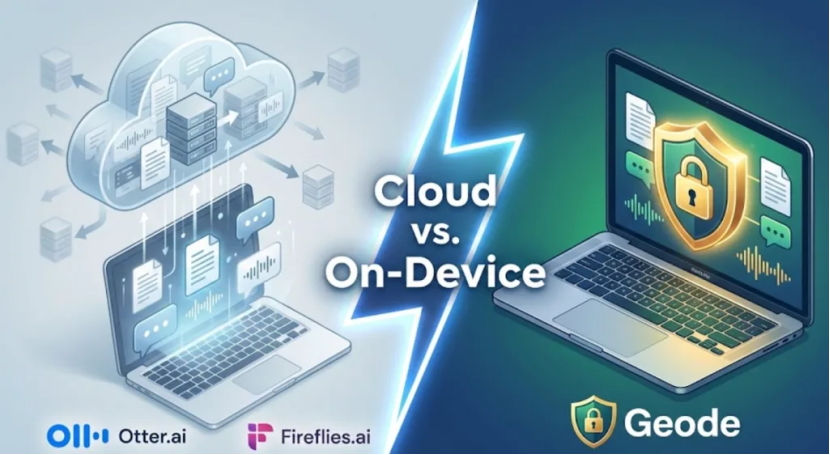
In the age of AI-powered productivity tools, privacy is often the trade-off we make for convenience. Meeting assistants now sit inside conversations that include legal discussions, medical details, and confidential client information.
While many tools claim to be “secure”, a more important question is often overlooked: Where does your data on-device actually live—and where is it processed?
For professionals who care about privacy, the key distinction is whether transcription happens in the cloud or directly on your own hardware. In this article, we compare three popular tools—Otter.ai, Fireflies.ai, and Geode—to see which ones truly keep data on-device and which rely on cloud-based processing.
Otter.ai: Cloud-First Collaboration
Otter.ai is widely used by teams that prioritize collaboration, as it automatically syncs notes across devices. However, regarding Otter data storage, it functions as a cloud-first platform.
According to publicly available documentation, Otter stores audio recordings and transcripts on cloud storage infrastructure (details may vary by plan and may change over time). Even when recordings are captured via the mobile app while offline, the audio must eventually be uploaded to Otter’s servers for transcription and processing.
While this design is excellent for cross-device access, it means that transcription does not happen locally on your machine. For users specifically seeking data on-device processing, this is an important limitation to understand before standardizing on it for confidentiality-sensitive work.
Fireflies.ai: Built for Always-Online Workflows
Fireflies.ai is designed to integrate deeply with online meetings and CRMs, acting as an assistant that joins live calls. As a result, Fireflies depends on cloud-based infrastructure by design.
Meeting audio is typically processed in vendor-controlled cloud environments. While Fireflies offers private cloud storage options, these still involve server-side processing rather than local transcription software capabilities. It does not provide a fully offline desktop mode for transcription.
If your workflow requires air-gapped environments, fireflies is not built to operate independently of the cloud.
Geode: Designed for On-Device Transcription
Geode takes a fundamentally different approach by focusing on local transcription capabilities. Instead of sending audio to remote servers, Geode is built around local, on-device AI processing. It’s a Geode no-cloud workflow for transcription: processing happens locally rather than through a cloud pipeline.
It leverages modern hardware—such as Apple Silicon—to run transcription models directly on your Mac. This allows users to enable airplane mode and receive transcripts without any data leaving the machine.
How Geode Keeps Data On-Device
· No Cloud Processing for Meetings: Audio and transcripts remain on your local hard drive.
· On-device Operation: Geode works without WiFi, reducing exposure during data transmission.
· Local AI Models: Tasks like speaker detection and summaries are handled entirely via on-device transcription.
This architecture is particularly well-suited for professionals working with sensitive information who require a high degree of control over their data.
A visual comparison of data privacy architectures.
Feature Comparison Overview
| Feature | Otter.ai | Fireflies.ai | Geode |
| Primary Processing | Cloud-based | Cloud-based | On-device |
| Offline Transcription | No (upload required) | No | Yes |
| Data Storage | Cloud servers | Cloud servers | Local hard drive |
| Designed for Air-Gapped Use | No | No | Yes |
Conclusion
If collaboration and integration are your top priorities, cloud-based tools like Otter or Fireflies may be a practical choice. However, if your priority is keeping data on-device and maintaining direct control over where conversations are processed, local software offers a clearer path.By processing audio directly on your own hardware, you reduce reliance on external servers. Geode is designed for users who value that level of control—providing offline, on-device transcription without requiring your conversations to pass through the cloud. If you want to transcribe on your device in offline or air-gapped settings, on-device workflows are the most direct way to reduce dependency on external servers.
